

← All updatesJuly 2026 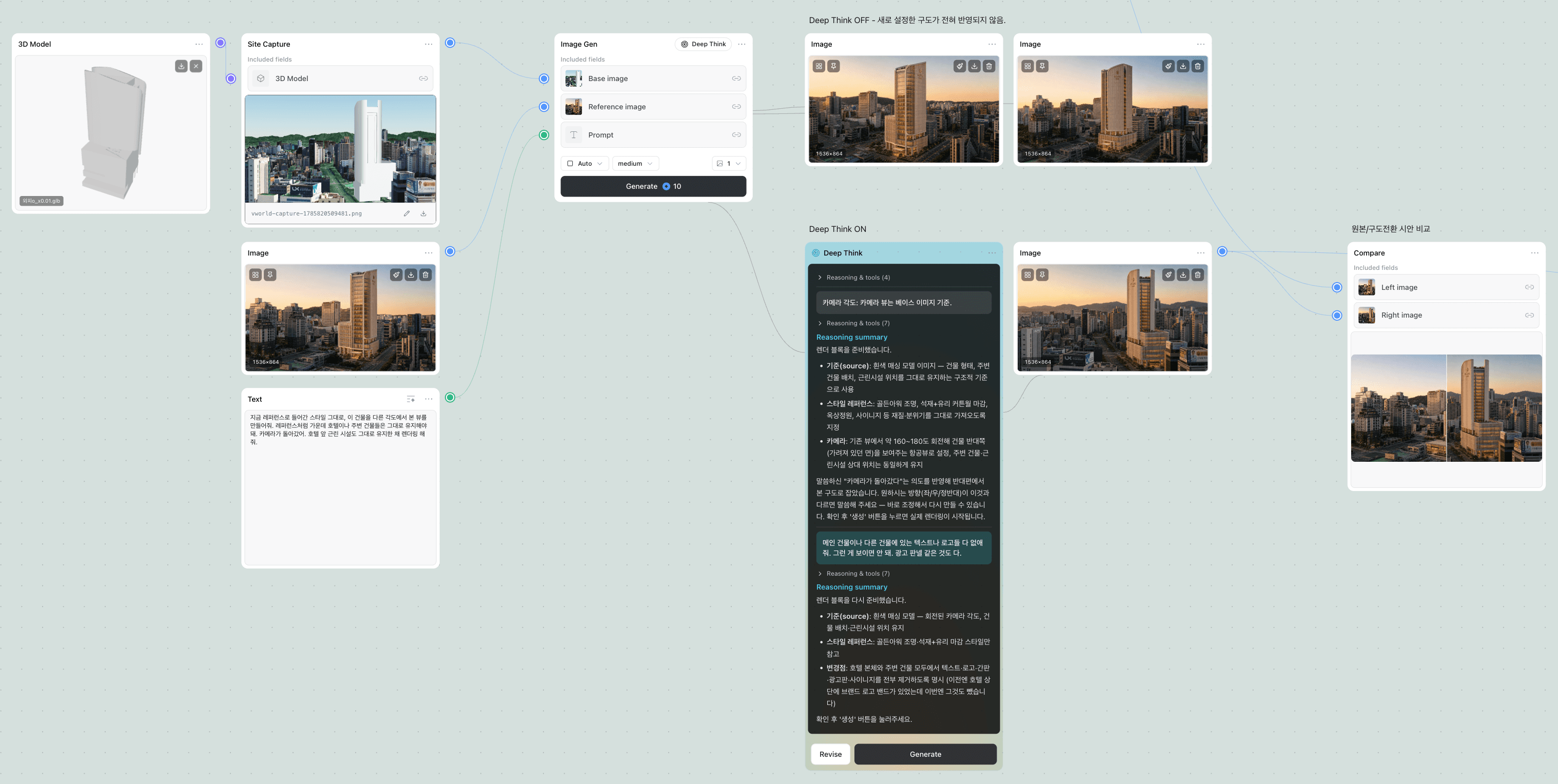
July 2026 product update
July was a big month. Plana now has a canvas where you connect nodes into your own pipeline, and an AI that talks the image through with you before it draws anything.
Build your own pipeline by connecting nodes
Pull a node from the palette on the left, connect it with a line, and that's a workflow. Bring an image in, generate from it, hand the result to the next node — all laid out on one canvas.
- Node palette — click a node on the left and it lands in the middle of your canvas, already selected.
- Edit in place — no side panel to open — set the inputs, ratio, and quality right inside the node card.
- Align and undo — line several nodes up at once, or let Tidy up arrange them. Cmd+Z if you change your mind.
- Groups — bundle related nodes under a name so a growing canvas stays readable.
- Basic adjustments — crop, brightness, tone curves, side-by-side compare — chain them onto a result without leaving the canvas.
- Autosave — saved from the moment you place your first node, so closing the tab costs you nothing.
Deep Think — talk it through before you generate
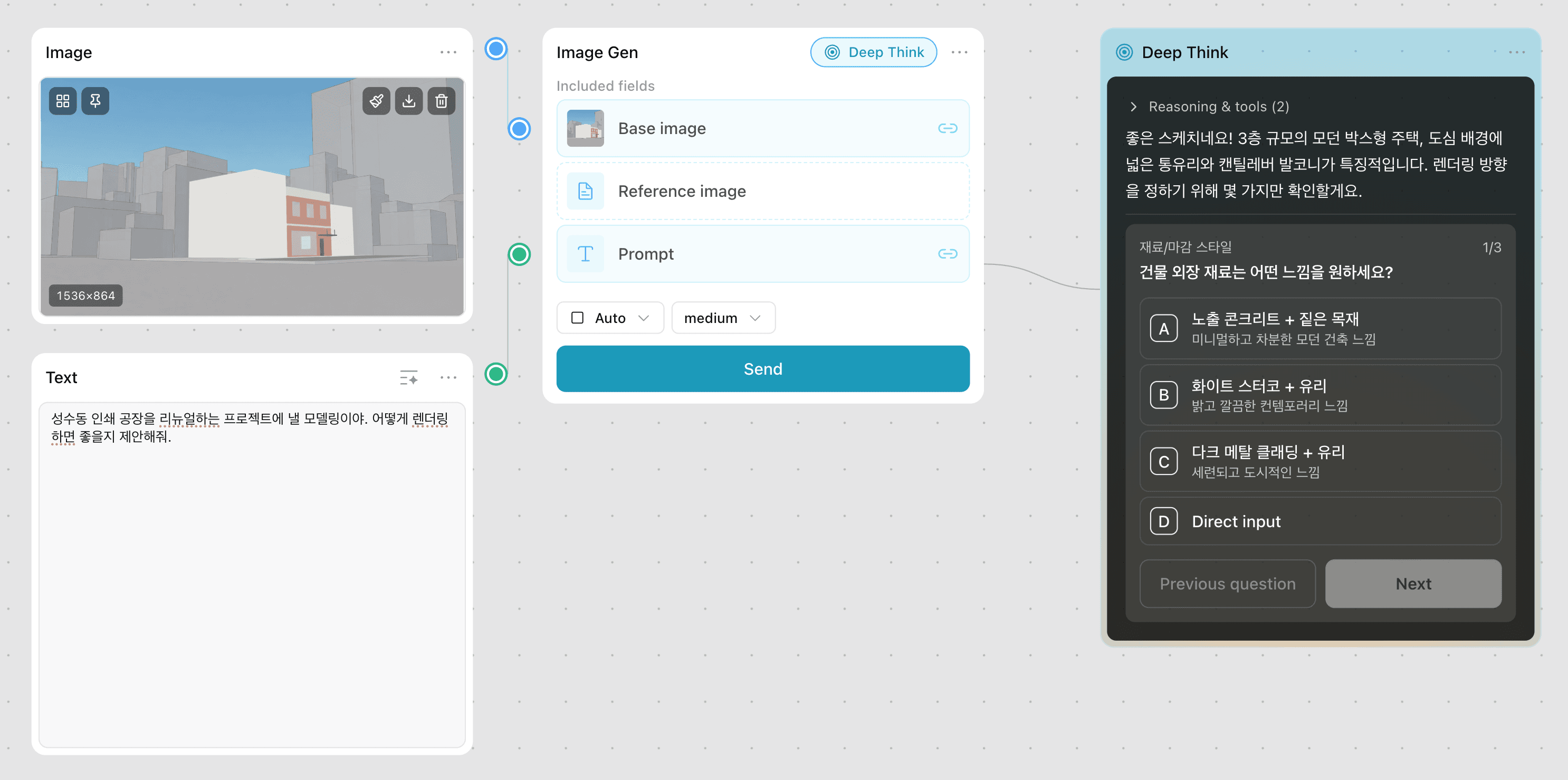
Turn Deep Think on in an image node and hit send. Instead of drawing right away, the AI asks you a few things first. Your answers shape the prompt, and you generate when it looks right.
- It asks first — the choices come to you one at a time, and each answer sharpens the prompt.
- Keep going — not quite there? say so in the same conversation, or paste an image to steer it.
- Branch off — duplicate the node and the conversation comes with it, so you can try a second direction without giving up the first.
Change just the part you painted
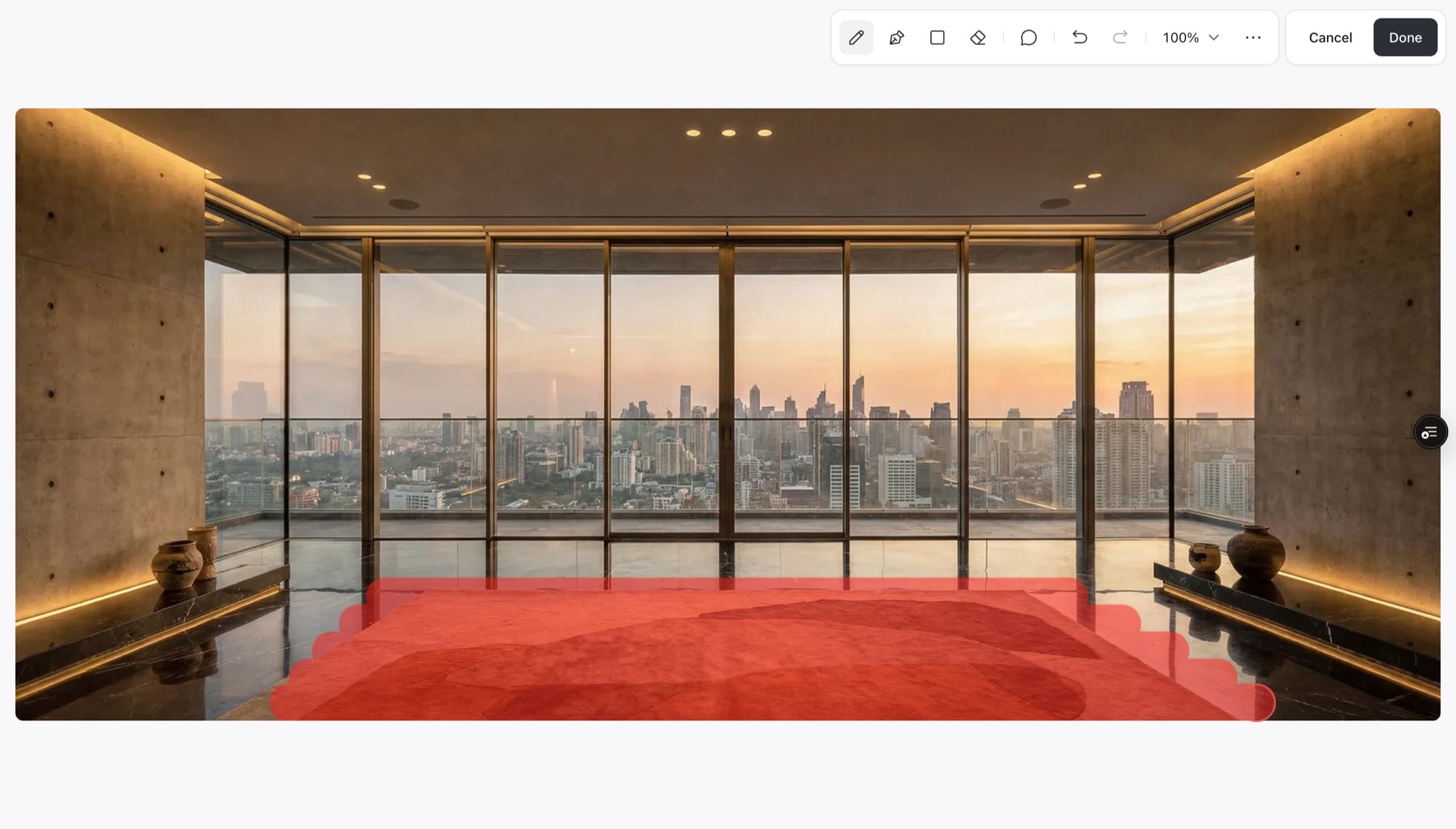
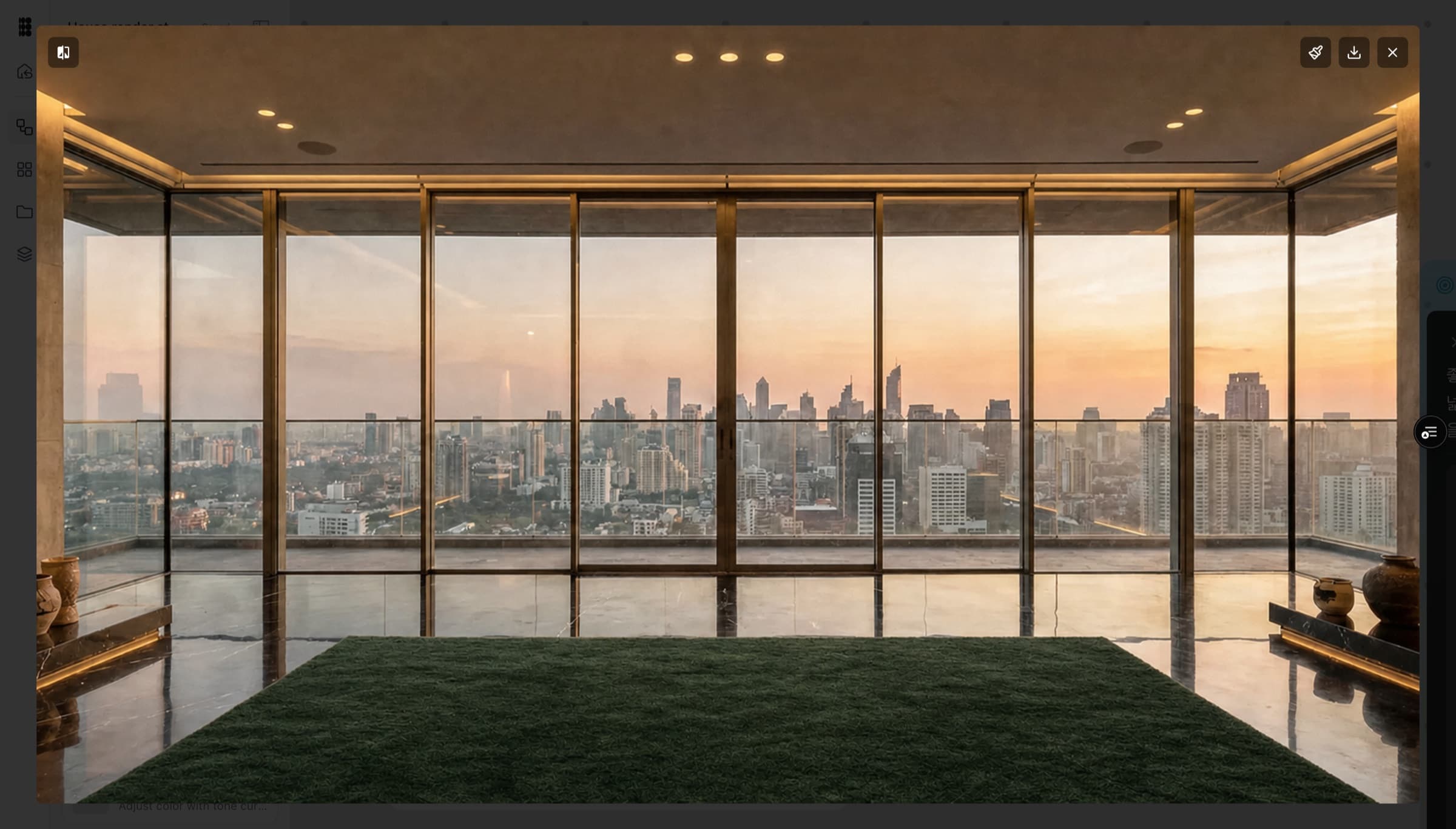
Paint over what you want changed and only that area gets redrawn. Swap the rug, repaint the wall, leave the rest of the room alone.
- Mask editor — paint, erase, and paint again right on the node.
- Image collections — keep several images in one node and pass only the ones you want downstream.
- Download all at once — save everything in a collection as a single zip.
Coming soon
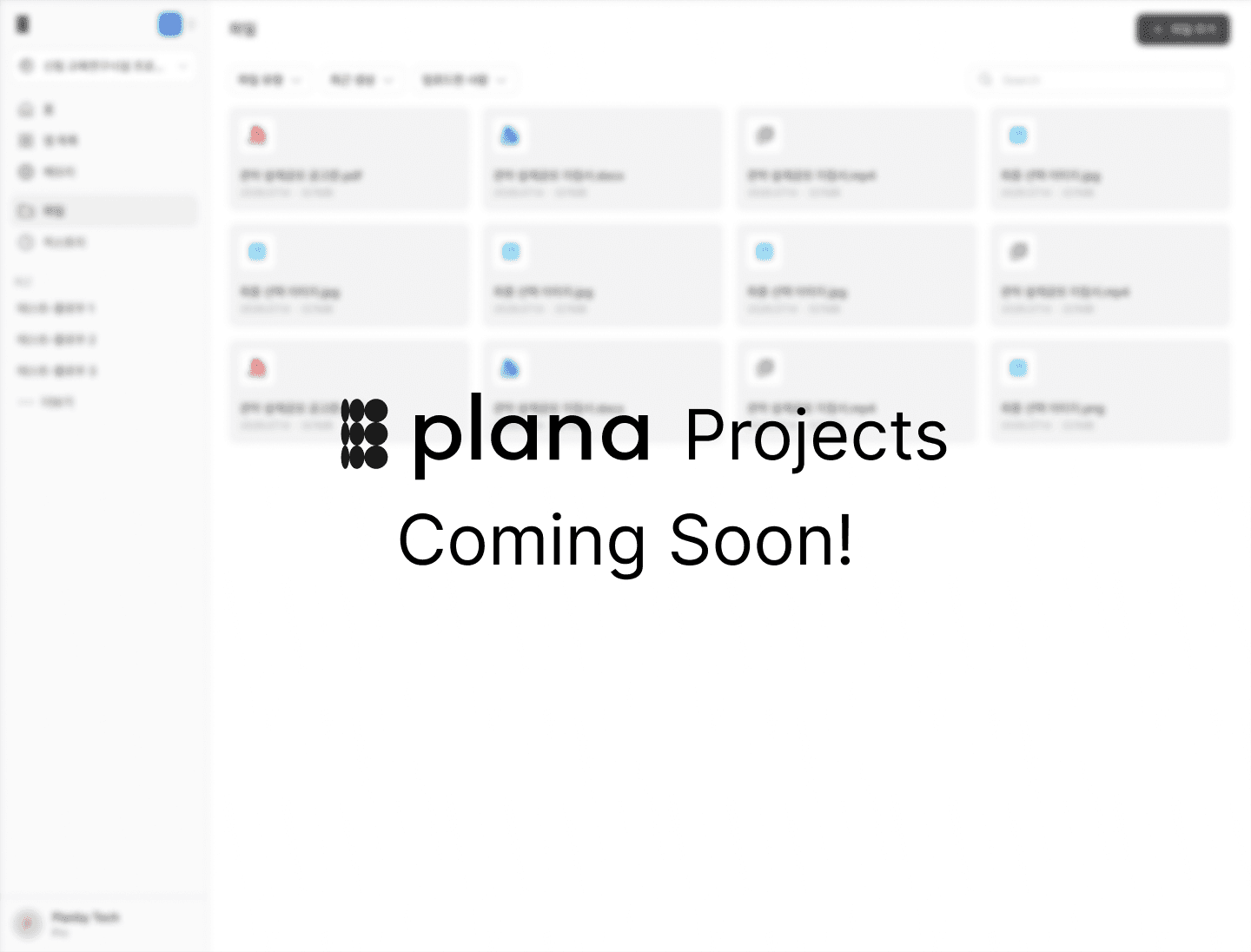
Projects are next. Hand Plana the competition brief or the RFP and it reads through the file, picks up what your project actually is — site, program, scale, the conditions you have to meet — and remembers it. From then on you don't restate any of it: open a workflow and every generation already knows the project it belongs to.