

August 2026 product update
The home screen now shows your projects and workflows at a glance. Pricing and onboarding got reworked too, the workflow canvas gained team sharing and new nodes, and Deep Think became the one place image generation happens.
Your projects and workflows, all on the home screen
Home now puts the projects you have in flight next to the workflows you built for them. You can see where you left off the moment you land, and pick it back up from the same screen.
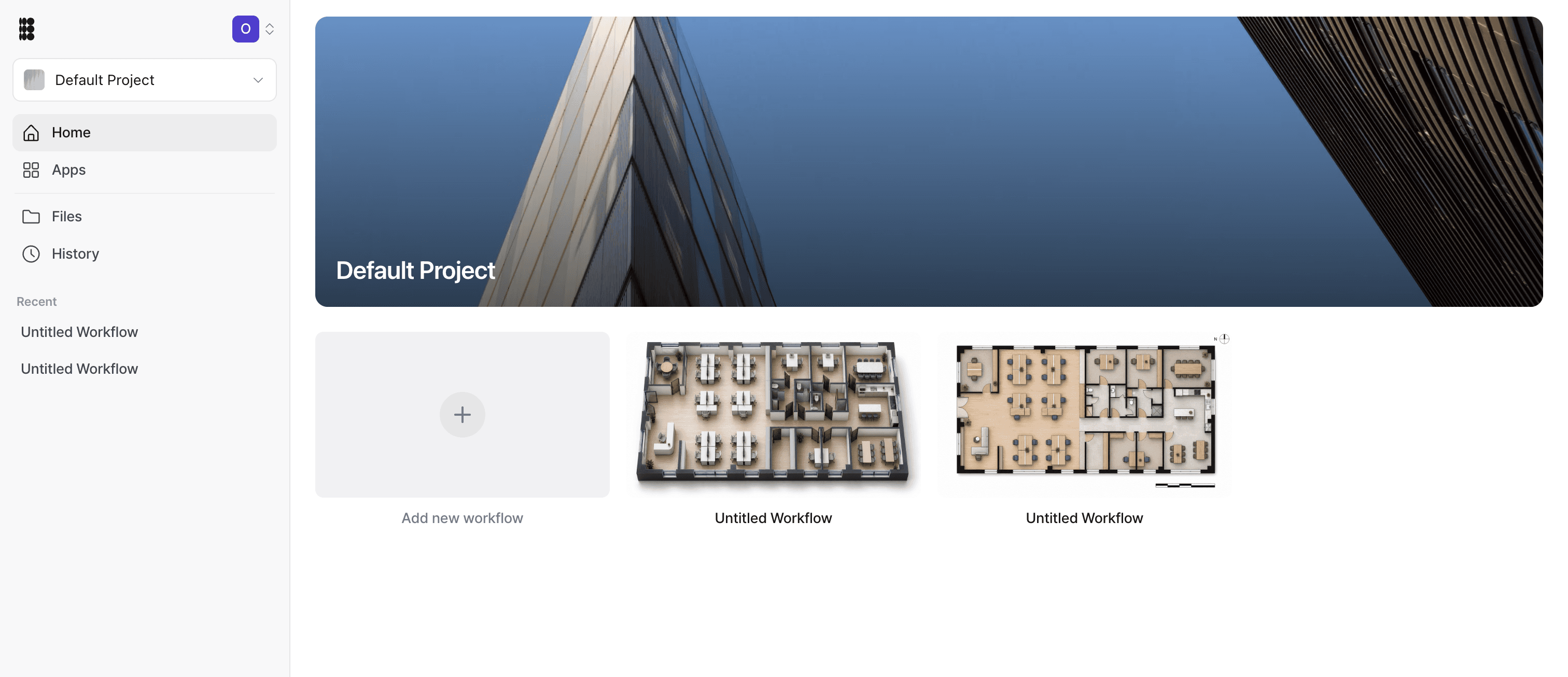
- Projects at a glance — the projects you are working on show up on home with their latest state, so you don't have to go looking for them.
- Workflows alongside them — the workflows you've built sit on the same screen as your projects instead of behind a separate tab.
- Straight back to work — open a project or a workflow from home and you're back where you left off in one step.
A reworked plan and a no-card free trial
Try Max for 7 days without a card, and if you go over, keep working — the extra usage is billed with your next invoice. Onboarding now gets you straight into a project.
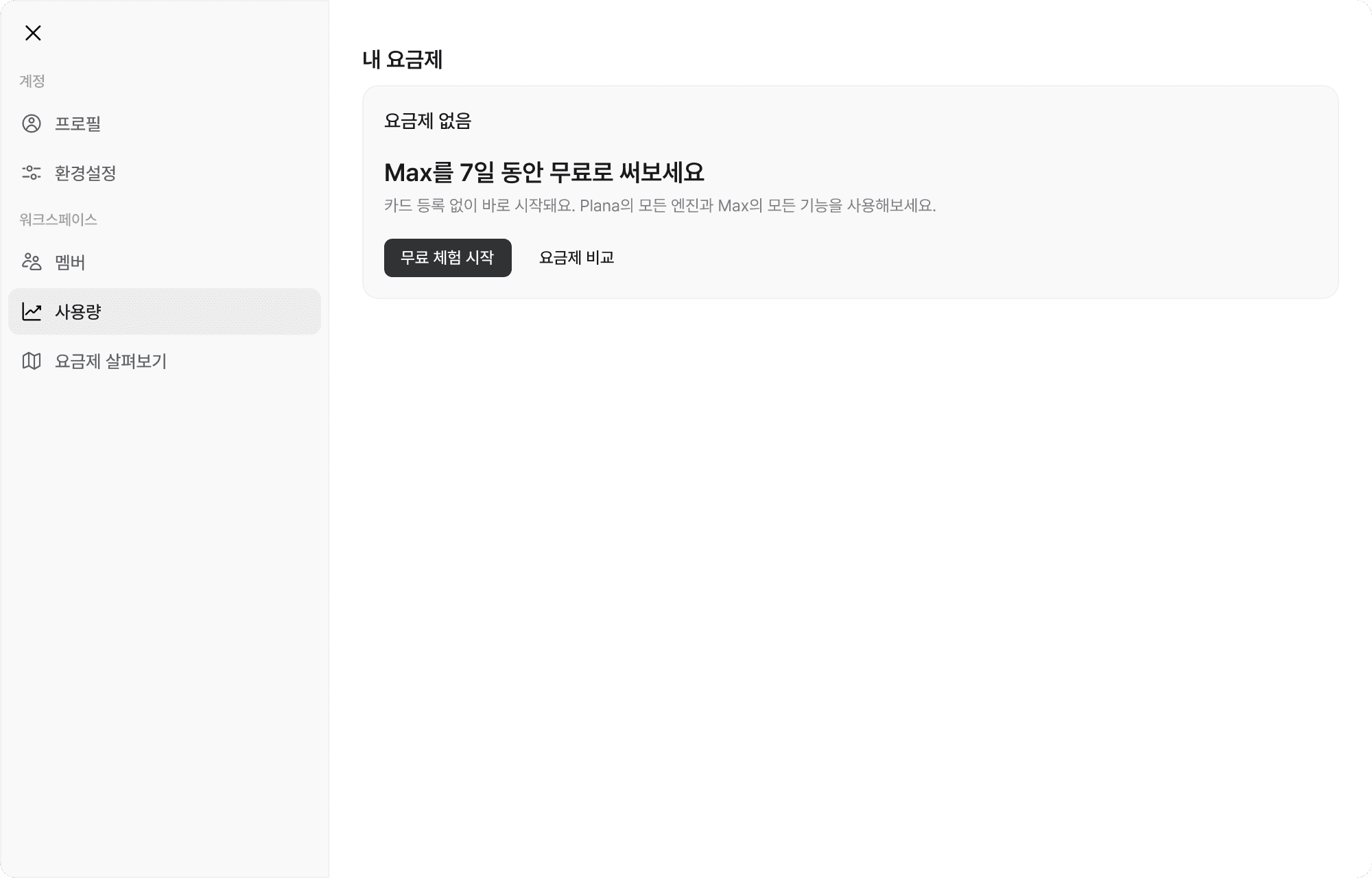
- 7-day Max trial, no card required — start trying Max features right after signup, card-free.
- Keep going past your limit — go over your usage and Plana keeps working — the overage is billed on your next invoice instead of stopping you cold.
- One form gets you started — pick what you're making in a short survey, fill in an image, reference, or prompt, and generation begins right away.
- Usage instead of raw numbers — the credit counter is now a usage bar, so the plan screens read more like "how much is left" than a number to track.
Share your workflow, and more nodes to build with
New workflows are shared with your team by default, and you can hand off ownership. The node palette grew — compare, crop, adjust, and now video.
- Team sharing and ownership transfer — a new workflow is shared with your team automatically, and you can pass ownership to someone else when you need to.
- Compare node — put two images side by side on a slider to compare them directly on the canvas.
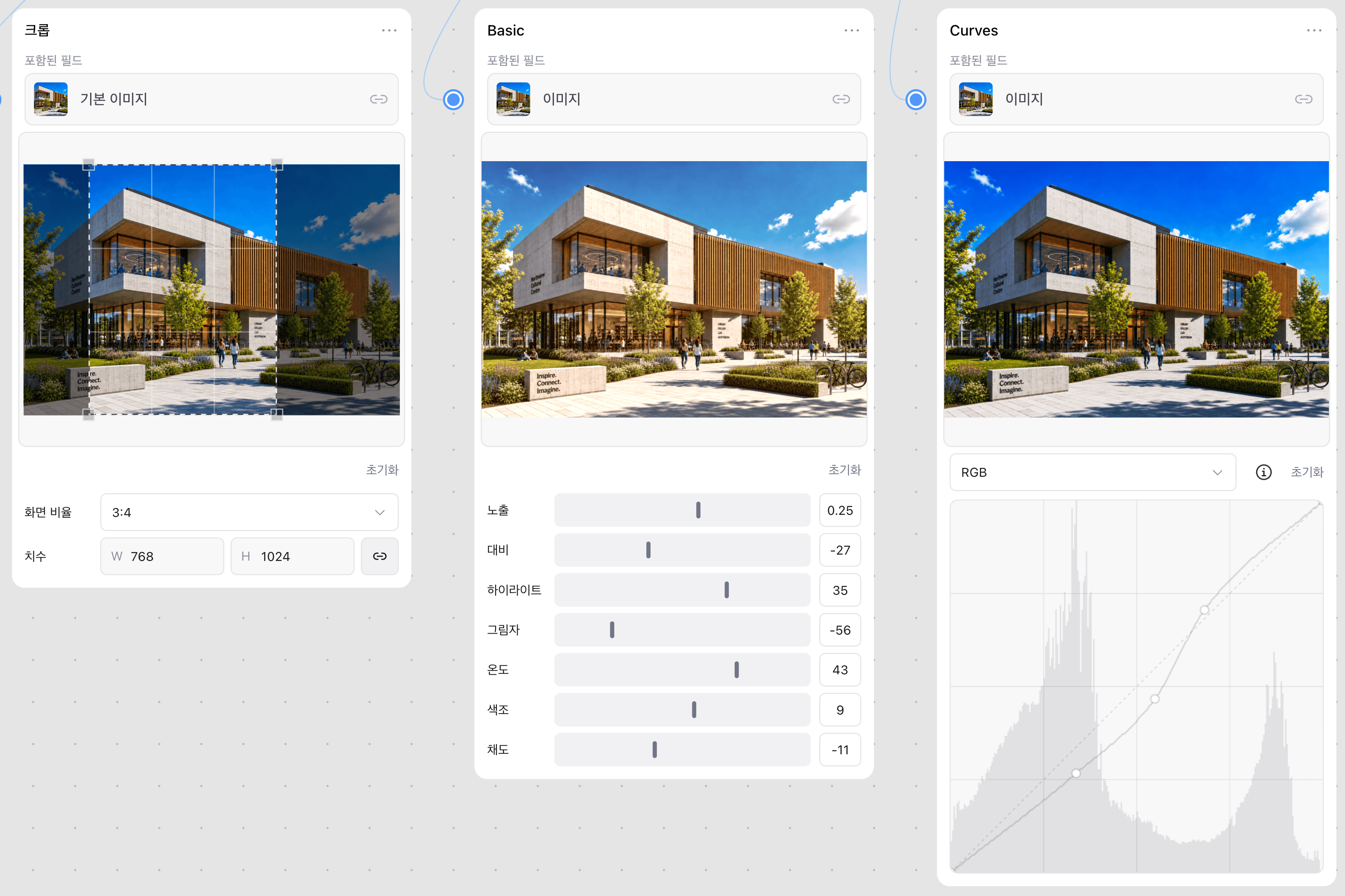
- Inline crop editing — crop right inside the node card — no side panel to open.
- Image adjustment nodes — chain brightness and tone-curve adjustments onto a result without leaving the canvas.
- Video generation node — generate video straight from the workflow palette.
- Floor material simulator — a dedicated full-screen editor for trying different flooring on a space.
- Redesigned site capture — the 3D site editor and model placement got more precise.
Deep Think is now the one place image generation happens
The separate chat tab is gone — everything moved into the Deep Think node, and nothing about your past conversations was lost.
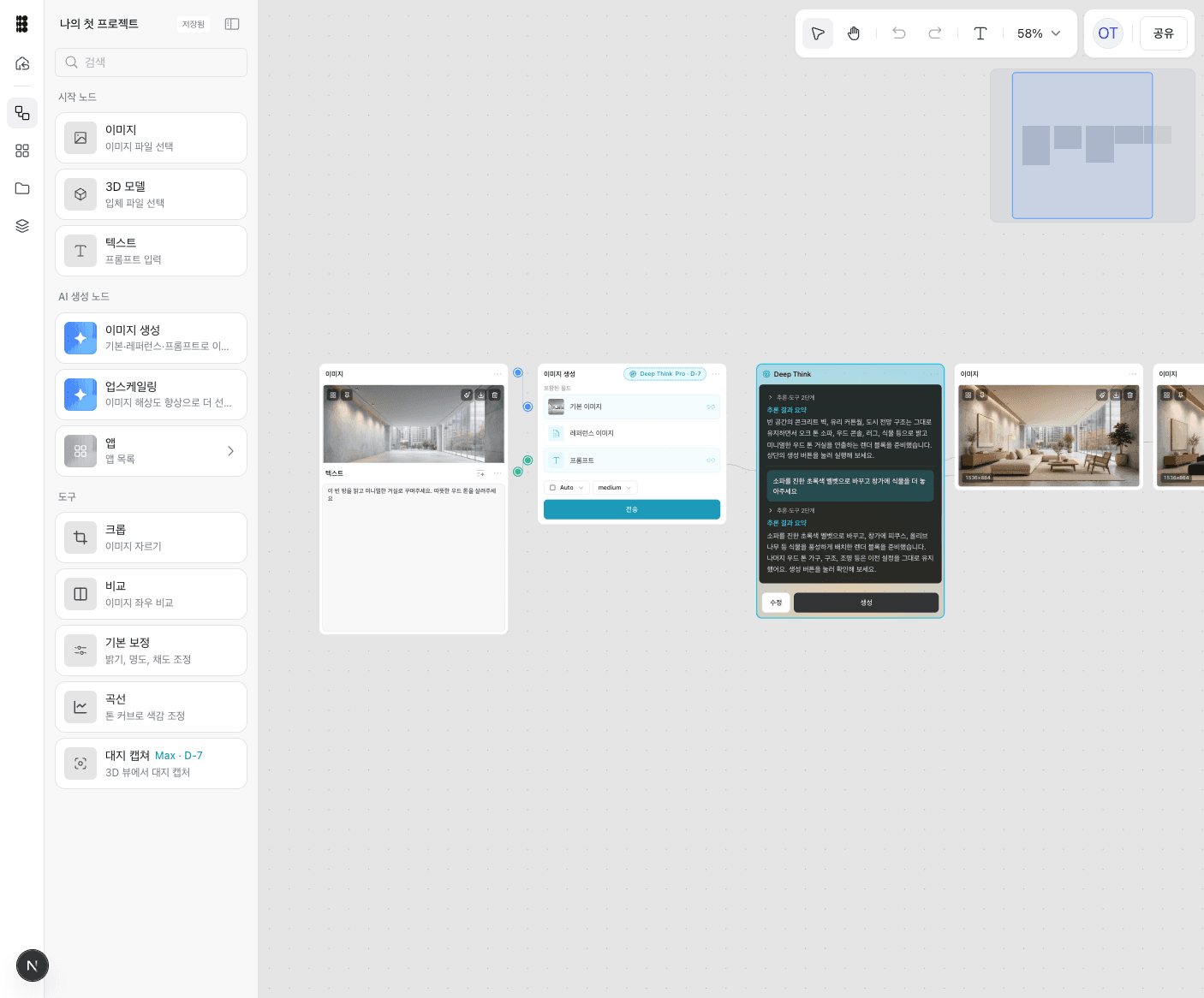
- One surface for Deep Think — the standalone chat tab folded into the Deep Think node on the canvas. Your conversation history is still there.
- Canvas retired — the separate Canvas feature was sunset as workflows took over that role.