

September 2026 product update
A big month — chat comes to mobile, Deep Think remembers your last step, and video and image generation get more options. Here's what's new in September.
Conversational image generation, now on your phone
Project chat brings the same Deep Think brain you use on the workflow canvas straight to mobile — no more panning and zooming a canvas on a small screen.
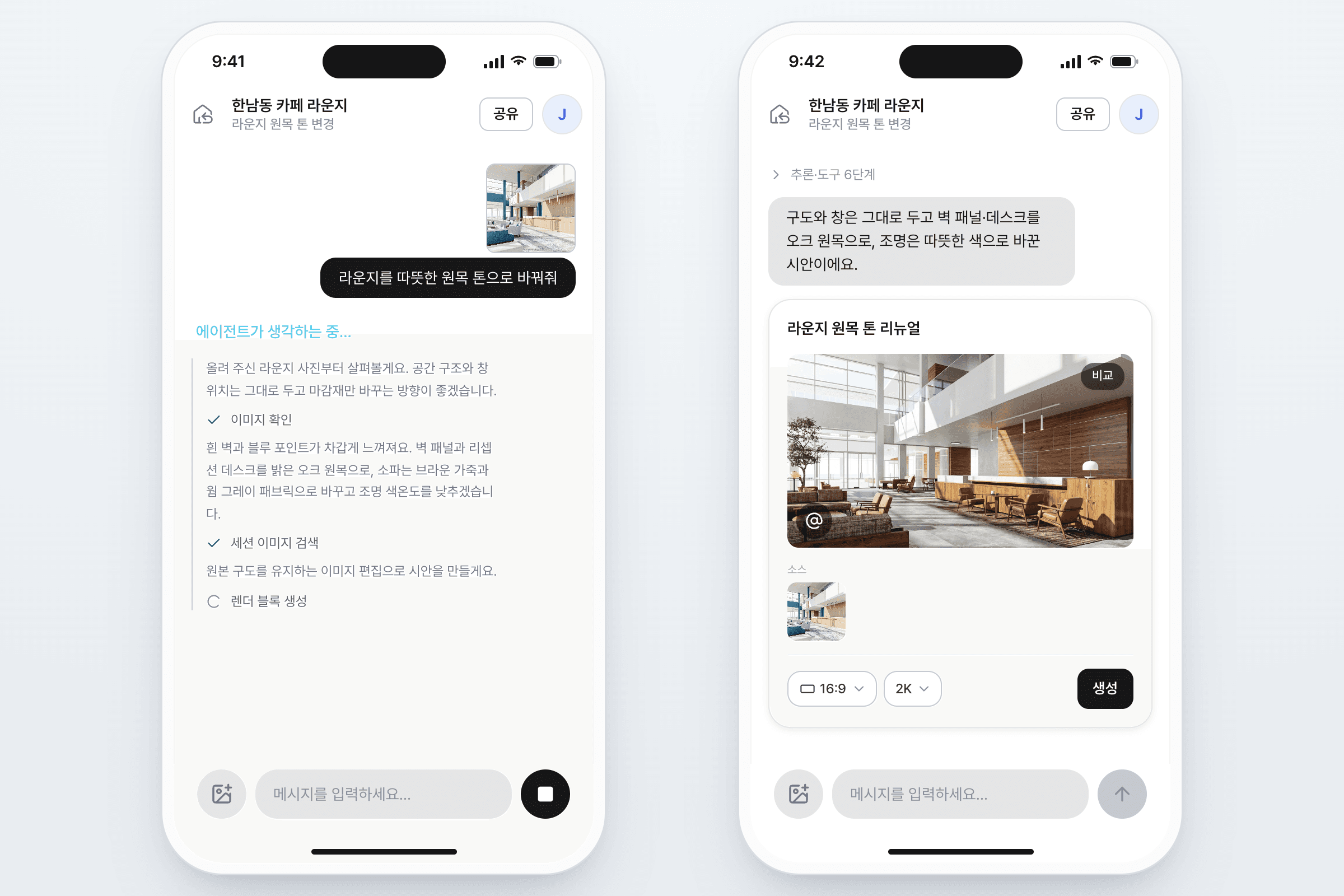
- Project chat — start a conversation right inside a project and generate images by talking, not building a canvas.
- Live reasoning — watch Deep Think's reasoning unfold as it works, then see it collapse once the answer is ready.
- Pick up where you left off — onboarding conversations now live in your chat list, so you can always find your way back.
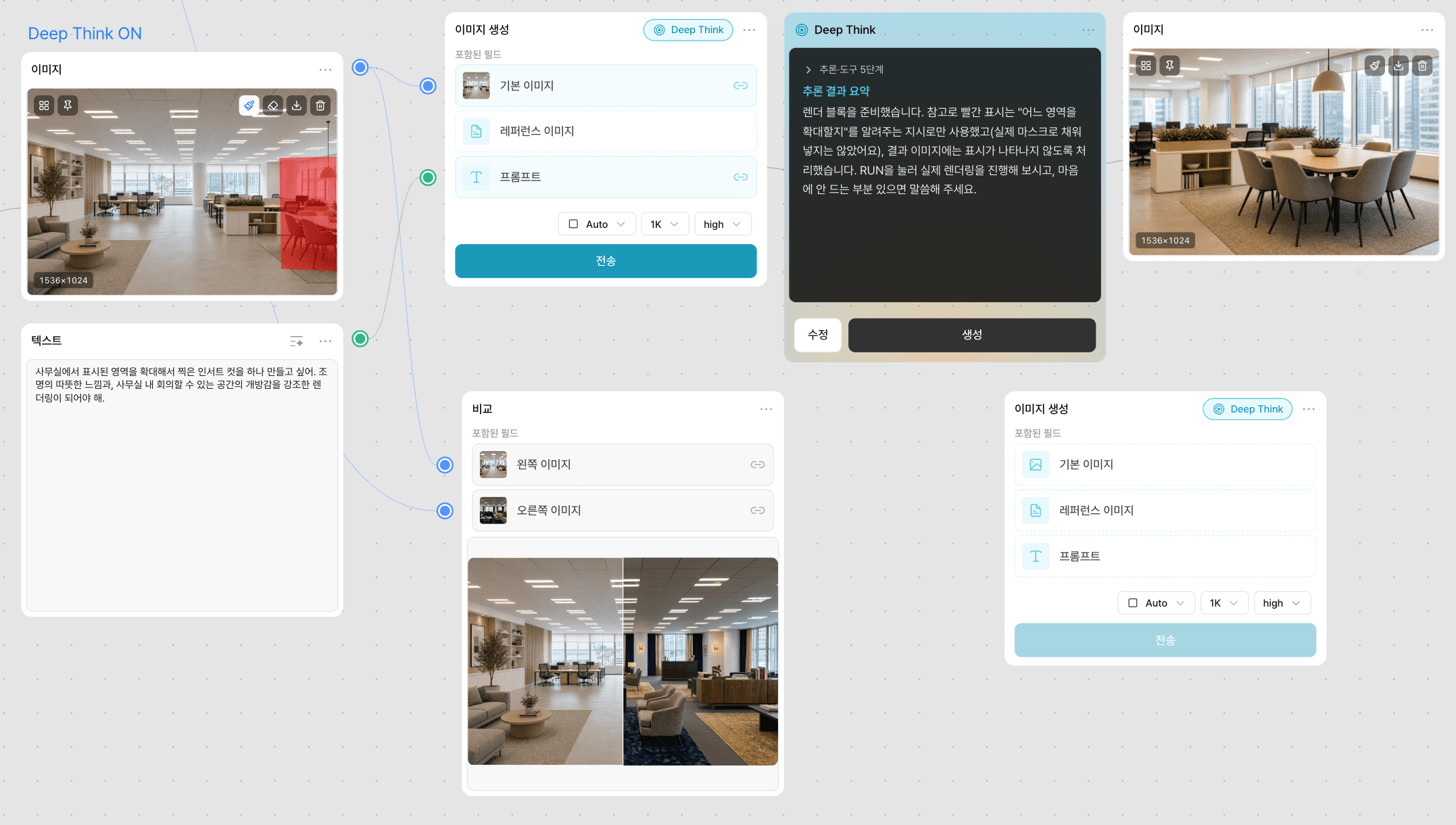
Deep Think now remembers what your last step did
When you continue from a previous result, Deep Think automatically picks up that step's prompt and reference images — you don't have to re-explain what you already built.
More generation power: 3 video models, sharper image resolution
Workflow video nodes now offer a choice of three models, and image generation gets a resolution picker.
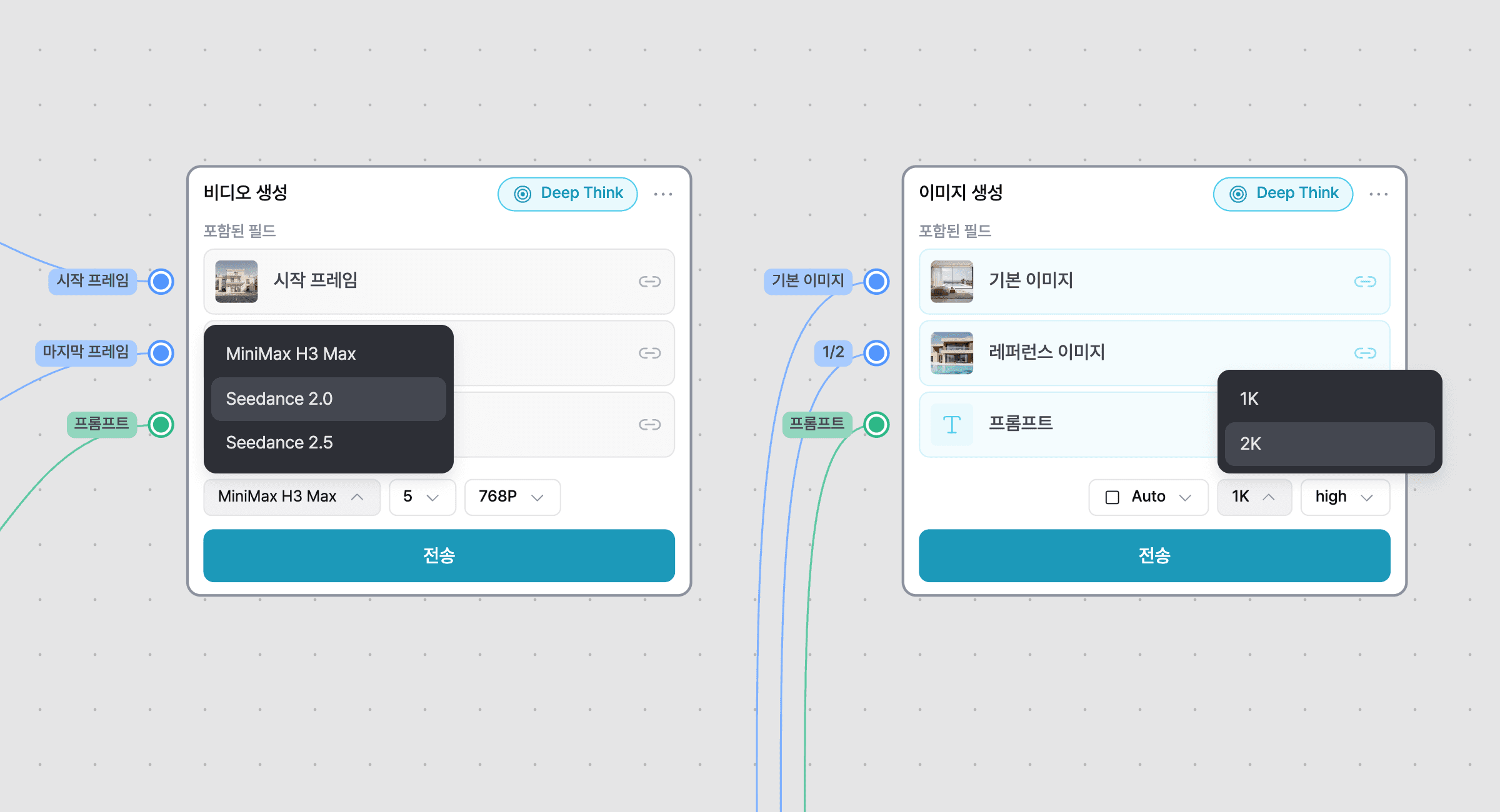
- Video models — choose MiniMax H3 Max (default), Seedance 2.0, or Seedance 2.5 for your video generation node — each with its own guidance tuned to it.
- Image resolution — pick 1K or 2K for image nodes and Deep Think renders. 2K looks sharper and costs a bit more.
- GPT Image 2.5 — Deep Think's image generation now runs on GPT Image 2.5 Sunburst.
Floor Replacement is now a built-in workflow tool
Swapping flooring moved out of a standalone app and into the canvas as a built-in tool node, with a redesigned 4-step editor.
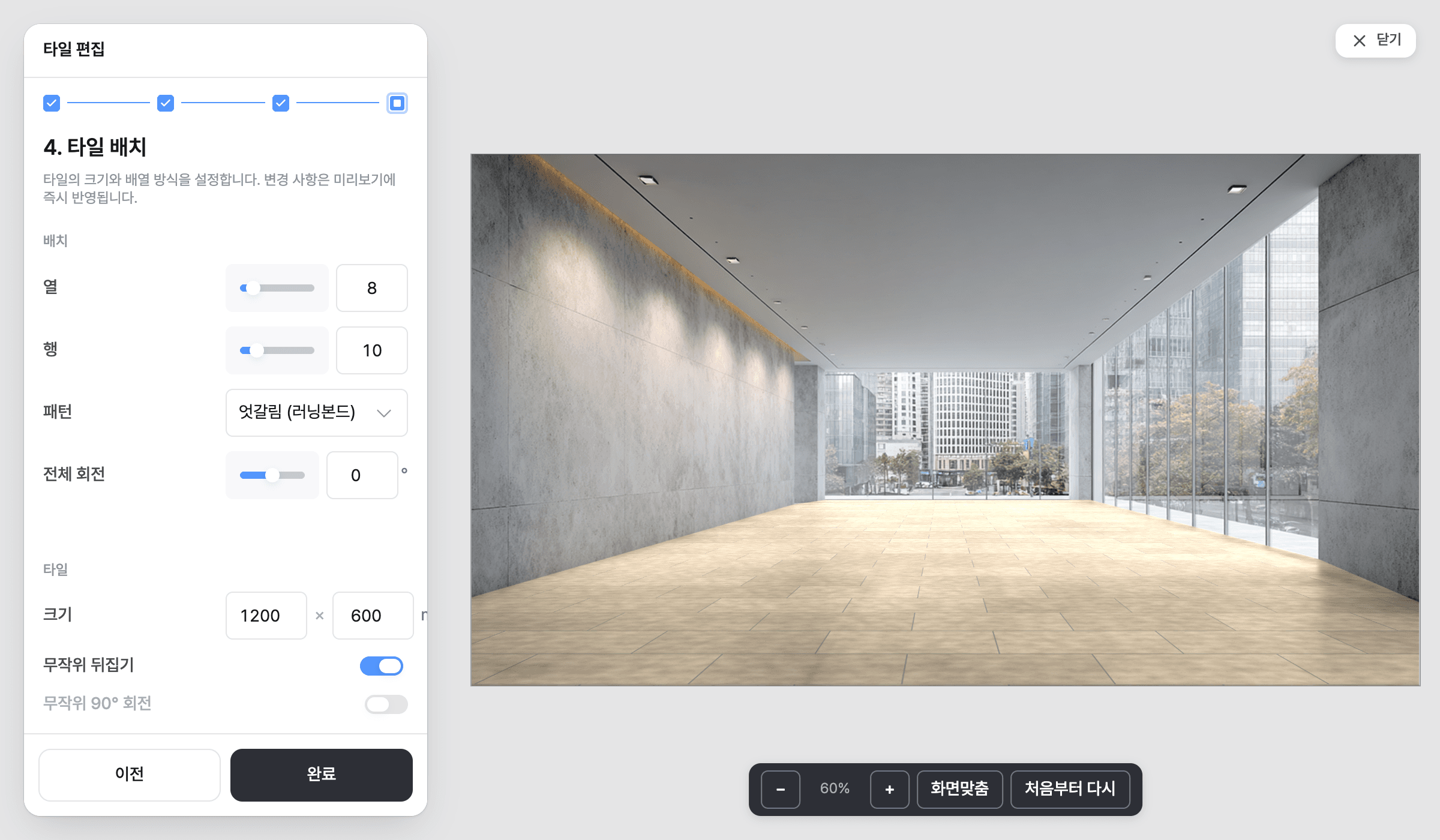
- 4-step editor — crop your room photo, refine the mask, and place your pattern — all in one guided flow.
- Scroll to pan — the mouse wheel now pans by default in the tool; hold Ctrl/Cmd/Shift to zoom instead.
A smoother start for new teams
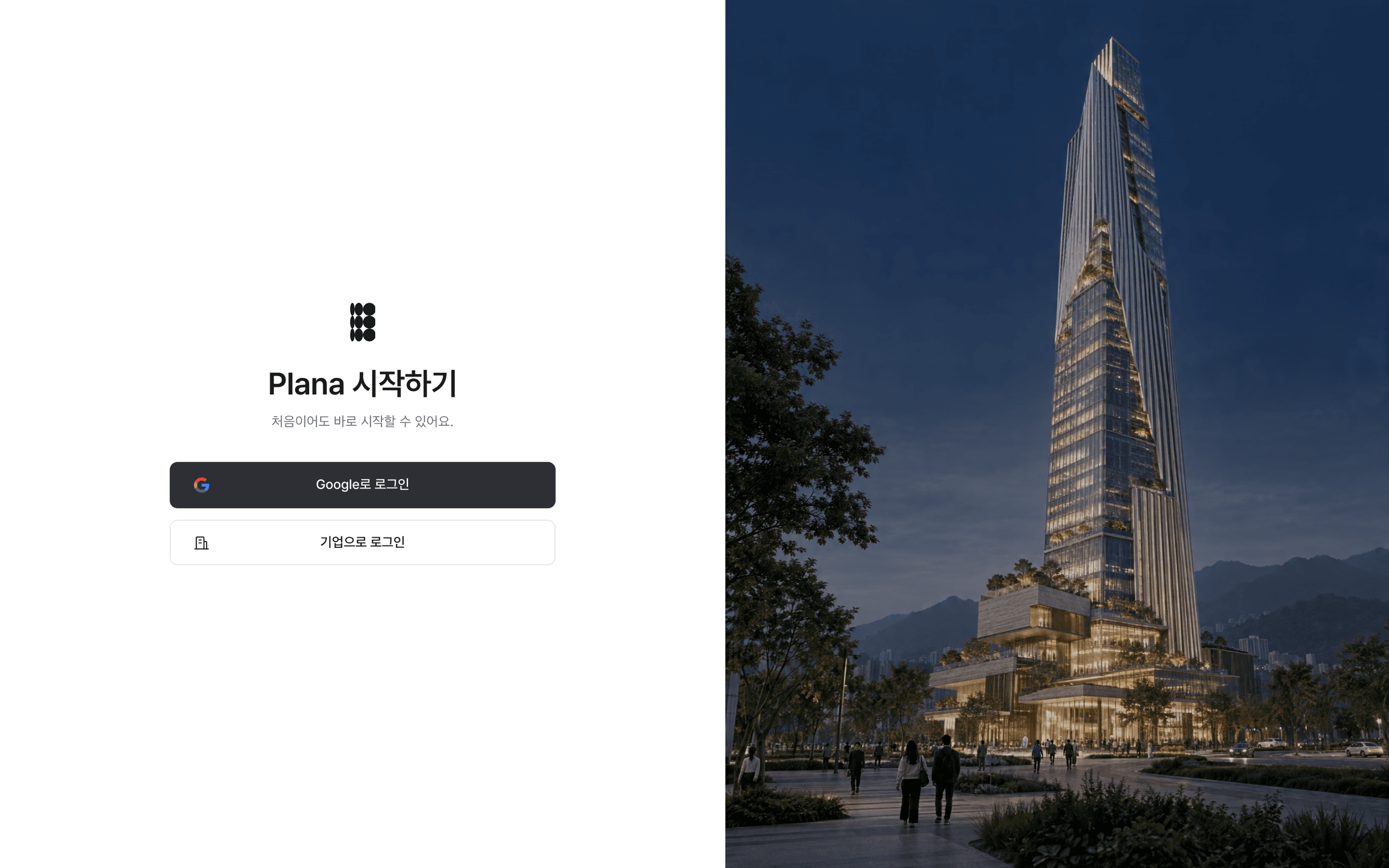
New sign-ups now land with a ready-made example workflow already in their Default Project, and the login screen got a refresh.
- Welcome examples — new accounts get a starter workflow seeded into their Default Project, open as read-only so you can see how it's put together.
- New login screen — a cleaner layout with a looping background video.
Change your workspace's seat plan yourself
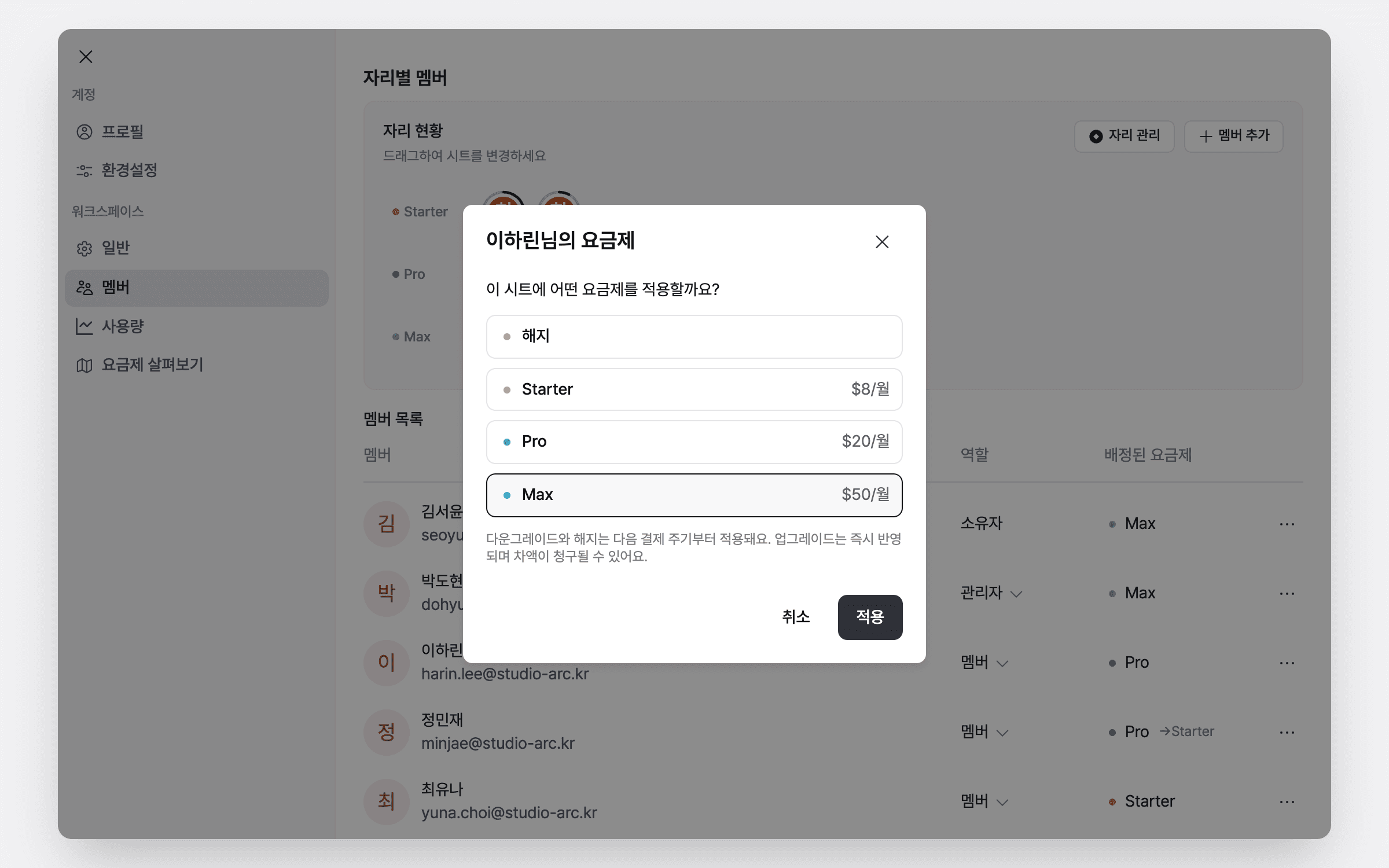
Workspace admins can now switch a seat between Starter, Pro, and Max right from Settings > Members — upgrades bill the difference immediately, downgrades apply at the next billing date.
Also fixed this month
A long list of smaller fixes, mostly things you'd only notice when they went wrong.
- Clearer error messages — generations blocked by credits or permissions now tell you why instead of failing silently or showing a raw error code.
- Login and sign-up reliability — fixed an intermittent error that could show a blank error page on the login and sign-up screens.
- Compare node — fixed the B-side output actually generating from the A image instead of B.
- Undo during video generation — pressing Ctrl+Z while a video is generating no longer deletes the result node.
- Credit and billing displays — fixed the credit total showing the wrong number on higher-volume plans, plan names showing incorrectly in a few places, and Toss billing amounts now show in Korean won.
- Overage billing — fixed overage charges that weren't going through, and generations that were incorrectly blocked for paid subscribers.
- First generation safety net — if your first generation is canceled or fails, your free credit is now restored instead of being lost.
- Default corrections — fixed base image adjustments and curves being inconsistent depending on where they were used.
- Download from tool nodes — you can now download the image directly from a tool node.
- 3D map capture — fixed the capture gizmo's arrow controls and scale input.
- Large uploads — fixed failures on large mask saves, GLB exports, and negative capture scale values.
- Max trial popup timing — the Max trial modal no longer appears before your first result actually finishes rendering.
- Retouch results — fixed retouch results not attaching to their text node and a visual glitch where the loading shimmer spilled outside its card.
- Deep Think stuck turns — fixed Deep Think turns getting stuck in a dead end when a generation was blocked by credits.
- Deep Think node buttons — fixed a Deep Think node state where its action buttons could disappear entirely.
- Workflow generation flow — fixed four different hiccups in how workflow generations kick off and report status.
- Connection suggestions — reorganized into a clearer two-tier menu (Image Gen / Video Gen / Upscaler / App / tools).
- Recent list & new projects — the sidebar's Recent list now scrolls infinitely, and creating a project takes you straight to its overview.
- Explore tab — internal system apps no longer show up in your Explore tab.
- Crop ratio switching — switching aspect ratios in the Crop tool no longer flickers.
- Floor Replacement viewport — dragging a placement handle no longer yanks the whole viewport along with it.